
Looking at web portal software for small business options gets overwhelming fast because most comparisons skip the part where your team actually has to build and maintain the thing. We broke down the main approaches from custom development to AI-powered builders with one filter in mind: can a small team set this up without hiring a developer, and will it still work six months later when your user base doubles? Here's what matters when choosing portal software that fits your workflow.
TLDR:
- Web portals give clients, vendors, or employees secure, personalized access to business data
- Role-based permissions, real-time sync, and brand customization define quality portal tools
- AI-powered builders cut setup from months to hours without requiring developers
- Integration with Airtable, Notion, or Google Sheets preserves your existing workflows
- Stacker uses AI to generate working portals from prompts, then refines via visual editing
What Is Web Portal Software and Why Business Teams Need It in 2026
Web portal software gives specific users a controlled, login-protected window into your business data and workflows. Unlike a public website, a portal is gated, personalized, and interactive. A client sees their project. A vendor sees their job. No one sees what they shouldn't.
The distinction matters because most business communication chaos comes from scattered tools: email threads, shared drives, status-update Slack messages. A portal replaces that noise with one organized place. Deploying a portal to unify internal and external communication has become standard practice across businesses of all sizes, not a niche decision.
For small business teams, the payoff is even clearer. You stop repeating yourself. Clients stop asking "what's the status?" And your data lives in a structured place, not buried in someone's inbox.
Key Features That Define Quality Web Portal Solutions
Not every portal tool is built the same, and the feature gaps between them become apparent quickly once real users start logging in.
The features worth paying attention to:
- Role-based permissions: clients see their data only, vendors see theirs, internal teams see everything they need
- Secure authentication (SSO, 2FA): reduces risk without friction for end users
- File sharing and document management: replaces email attachments with something searchable and versioned
- Real-time collaboration: changes are visible instantly, no refresh required
- Integration with tools you already use (Airtable, Notion, Google Sheets, your CRM)
- Visual customization: your portal should look like your brand, not like generic SaaS
The integration piece deserves attention. A portal that can't connect to your existing data sources creates a migration problem before you've built anything. The best solutions sit on top of your current workflow instead of replacing it.
Customization is less obvious but equally important for adoption. Users trust interfaces that feel intentional. A portal that looks cobbled together gets abandoned faster than one that matches your brand.
Client Portal Software vs Customer Portal Software vs Employee Portals
The terminology gets used interchangeably, but the differences matter when you're picking a tool.
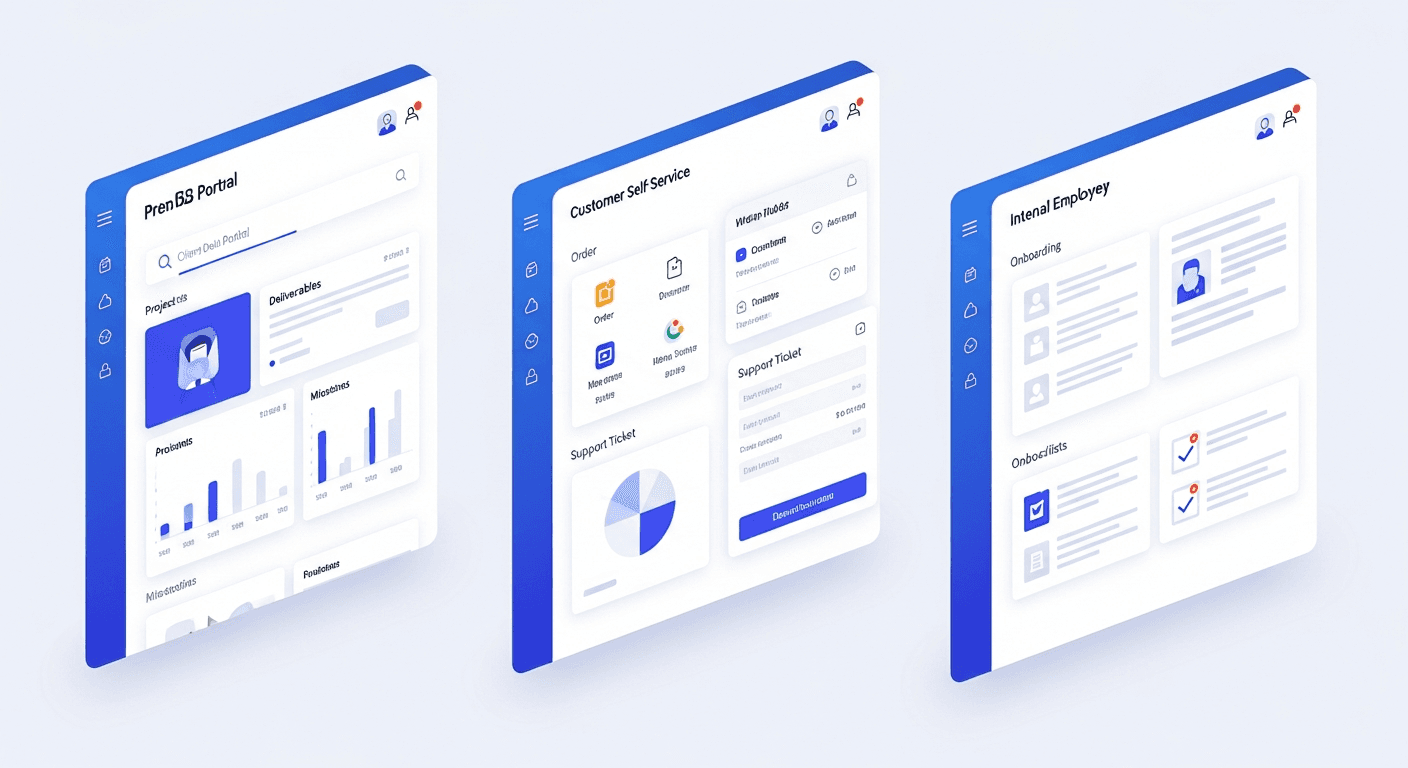
Client Portals
Built for B2B relationships. An agency shares deliverables with a client. A consultant tracks project milestones with a stakeholder. The audience is small, known, and expects a professional experience.
Customer Portals
Self-service at scale. Think order tracking, support tickets, and account management. The user base is larger and less relationship-driven. Speed and clarity beat personalization here.
Employee Portals
Internal only. HR documents, onboarding checklists, internal wikis, shift schedules. The goal is to centralize resources that currently live across too many systems.
The real-world overlap is where things get interesting. A construction firm might need a client portal for homeowners, a vendor portal for contractors, and an internal dispatch tool. Many businesses end up needing all three audiences served from one product.
That's why the "which type do you need" question often leads to a better one: can the software handle multiple audiences with different permission levels under one roof? If the answer is no, you'll be paying for three separate tools instead of one.
How to Choose Web Portal Software for Small Business Teams
Small teams rarely have the luxury of getting this wrong twice. The evaluation comes down to a few honest questions.
- Can you set it up without developers?
- Does it connect to tools you already use?
- Will it scale when your user base grows?
- Can you white-label it to match your brand?
- What does it actually cost once you're past the free tier?
The build-vs-buy trade-off is real. Custom development gives you exactly what you want, but takes months and costs far more. Ready-made solutions ship faster but may force you into someone else's structure. AI-powered builders like Stacker sit in between: generated from your description, hosted for you, no code required.
For most small businesses, the right call is the one that gets you live as quickly as possible without creating a migration headache six months later.
| Tool | Setup Time | Technical Skill Required | Key Integration Support | Customization Level | Starting Price |
|---|---|---|---|---|---|
| Stacker | Hours to days with AI-powered generation from prompts | None - plain English prompts and visual editor only | Airtable, Notion, Google Sheets with two-way real-time sync | Full white-label branding, custom layouts, role-based views generated by AI, then visually refined | Subscription-based with managed hosting included |
| Custom Development | Four months to over one year, including requirements and testing | High - requires a dedicated development team and ongoing maintenance | Unlimited but requires custom API integration work for each connection | Complete control over every aspect, but requires developer time for all changes | Tens of thousands of dollars upfront, plus ongoing maintenance costs |
| Traditional No-Code Builders | Days to weeks, depending on complexity and template availability | Low to medium - drag-and-drop interface, but requires understanding of data structures | Pre-built connectors for common tools, but limited customization of sync logic | Template-based, with variable flexibility depending on software constraints | Monthly subscription typically scales with users and features |
| Enterprise Portal Platforms | Weeks to months, including implementation partner engagement and training | Medium to high - often requires IT involvement for setup and configuration | Extensive enterprise system connectors, but a complex setup requiring technical expertise | Highly configurable within software constraints, often requires professional services | Higher enterprise pricing with implementation fees and annual contracts |
Security and Compliance Requirements for Business Portals
Security is where many small business teams underestimate risk. A portal that exposes client data, even accidentally, damages trust in a way that's hard to recover from.
The baseline requirements that any portal tool should cover:
- Multi-factor authentication (MFA) to verify user identity at login
- Role-based access control so users only reach what they're permitted to see
- Data encryption at rest and in transit
- Audit trails that log who accessed or changed what, and when
Your industry may also introduce specific obligations. Healthcare workflows touch HIPAA. Any portal serving EU-based users is subject to GDPR. SaaS companies increasingly need SOC 2 compliance to meet the requirements of enterprise procurement teams.
For non-technical decision-makers, the practical filter is straightforward: ask vendors directly which compliance standards they meet, and get it in writing. Managed portal solutions typically offer stronger built-in security than self-hosted code, because someone else is responsible for patching and maintaining the infrastructure. That accountability gap matters more than most buyers realize until something goes wrong.
Implementation Timeline and Costs for Web Portal Development
Timeline expectations vary more than most buyers expect. A simple portal built on an existing tool can go live in a matter of days. A custom-built solution with complex integrations and compliance requirements can take four months to over a year.
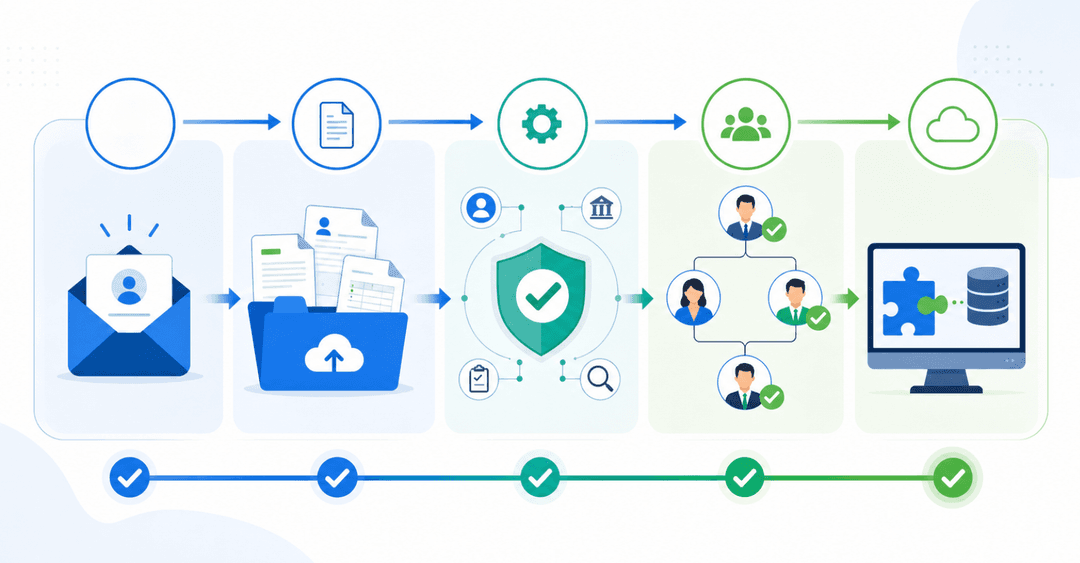
The phases that drive most of that time:
- Requirements and scoping, which teams consistently underestimate
- Data modeling and integration setup
- User permission configuration
- Testing with real users before launch
- Iteration after feedback
Cost follows complexity. Custom development runs tens of thousands of dollars before you've trained anyone. No-code and AI-powered tools cut that dramatically, often to a monthly subscription with setup measured in hours.
Integration complexity is the biggest factor slowing projects down. The more data sources involved, the more time spent on connectors and sync logic. Compliance review adds time, too, especially when legal or IT must sign off before launch.
The fastest path to live is usually the one that doesn't require a developer.
Web Portal Software Integration with CRM, Project Management, and Business Tools
Portals don't exist in isolation. The value multiplies when your portal talks to the tools your team already runs daily.
Teams that get the most out of portal software are usually the ones connecting it to multiple backend systems. The common integration patterns worth knowing:
- CRM sync keeps client records current without manual entry
- Project management connections surface task status directly in client-facing views
- Accounting tools push invoice or payment status to the portal automatically
- Communication tools trigger alerts when portal records change
The goal is one source of truth. When your portal pulls live data from Airtable, Notion, or Google Sheets, your team no longer needs to maintain parallel records across separate tabs.
Measuring Portal Adoption and ROI for Business Teams
Proving a portal's value to stakeholders means moving past "it feels better" and toward numbers that hold up in a budget conversation.
The metrics worth tracking:
- Active user rate: what percentage of invited users log in regularly
- Support or status update requests before and after launch
- Time saved per team member on manual updates or file sharing
- Client satisfaction scores tied to communication quality
- Revenue tied to faster onboarding or reduced churn
The time-savings figure is often the most persuasive internally. Teams that consolidate scattered tools into one app consistently report large reductions in time spent on manual updates, file requests, and status chasing.
ROI goes beyond cost savings, too. Faster client onboarding shortens the gap between signing the contract and the first payment, and fewer status emails mean your team spends more time on billable work. Reduced client friction shows up in retention numbers long before it appears in a support ticket count.
Set a 90-day baseline before launch, then compare. Without a before snapshot, you're guessing.
Common Portal Implementation Challenges and How to Avoid Them
Most portal projects fail because of factors outside the software, not because of the software itself.
Here are the predictable challenges worth preparing for:
- User resistance tends to surface after launch, when it's too late. Involve end users in testing beforehand so the tool feels familiar, not foreign, on day one.
- Data migration can get bloated when teams move everything instead of just what's needed. Audit first, migrate only what matters, and keep the project moving.
- Integration drift happens when the source data changes structure, and syncs quietly break. Document your data model before you build.
- Permission misconfiguration is common because what feels obvious to the builder is invisible to a first-time user. Test every role from the outside in.
- Post-launch drop-off is the most overlooked risk. Schedule a check-in at 30 and 60 days to catch friction before users quietly stop showing up.
How AI Is Changing Web Portal Development for Business Teams
AI-powered tools have changed who can build portals.
AI-powered builders let you describe your business in plain English and generate a working portal. You describe your requirements, the tool creates the initial structure, and then you refine it visually. This approach reduces the time from weeks to days for many use cases.
The practical benefits extend beyond speed. Managed portal platforms handle security updates and infrastructure maintenance. And because these tools understand common portal patterns, you focus on customizing the interface instead of building from scratch.
Building Custom Web Portals with AI-Powered Tools
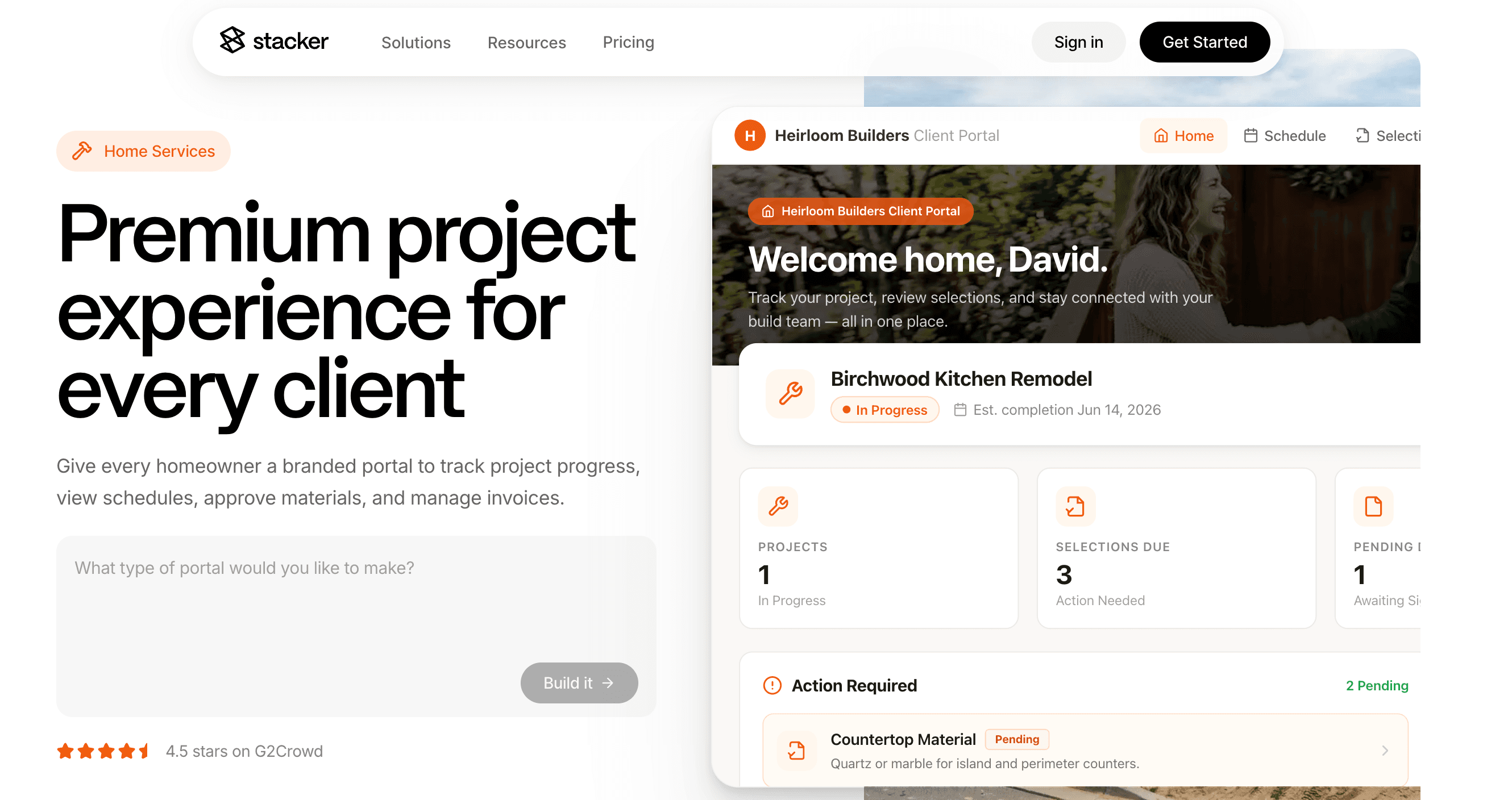
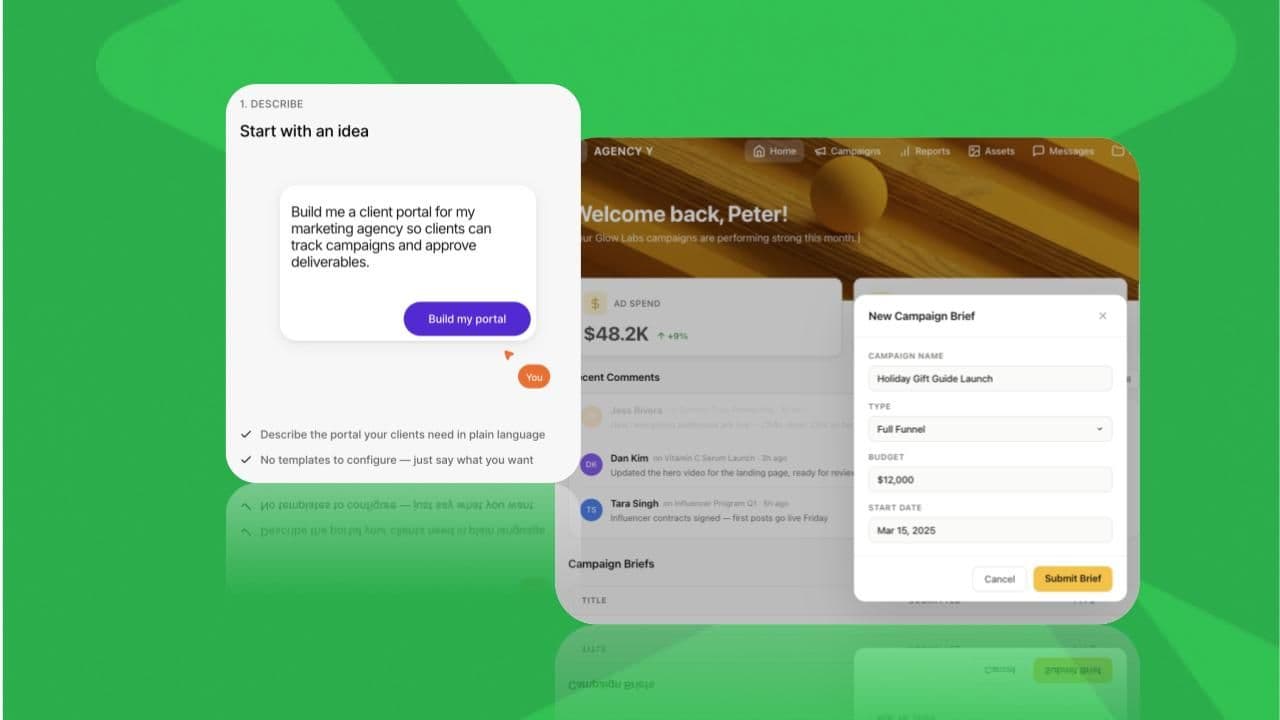
Stacker uses an AI agent to generate a working portal from a plain-English description. Describe your business, your users, and what they need to see. The agent creates an initial structure. You refine colors, fields, and layout without writing code. The AI interprets your requirements and creates the data structure, user interface, and navigation, reducing the requirements-gathering phase. The system generates a solution tailored to your workflow instead of using fixed templates.
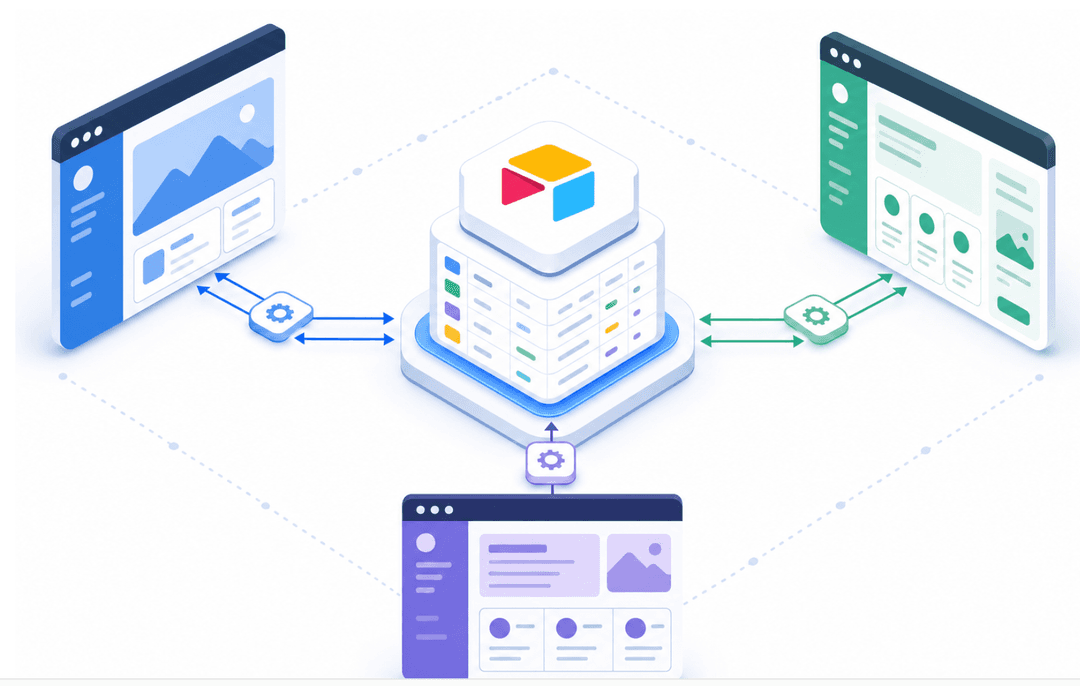
The connection to your existing data is immediate. Stacker syncs with Airtable, Notion, and Google Sheets in both directions, so your current workflows stay intact. The portal sits on top of them. Changes made in your spreadsheet appear in the portal instantly, and updates made through the portal write back to your source data without manual export-import cycles. This two-way sync means your team can keep working in the tools they already know while clients interact through a polished, branded interface. You avoid the migration paralysis that kills most portal projects before they launch.
Role-based permissions handle the multi-audience problem without requiring separate builds. A client sees only their project. A vendor sees only their jobs. Your internal team sees everything. You configure these permission layers visually by defining which user groups access which records, with filters that automatically scope data based on login credentials. The same portal serves all three audiences, each experiencing a personalized view of the underlying data. This eliminates the cost and complexity of maintaining separate client-facing, vendor-facing, and internal tools that would otherwise drift out of sync.
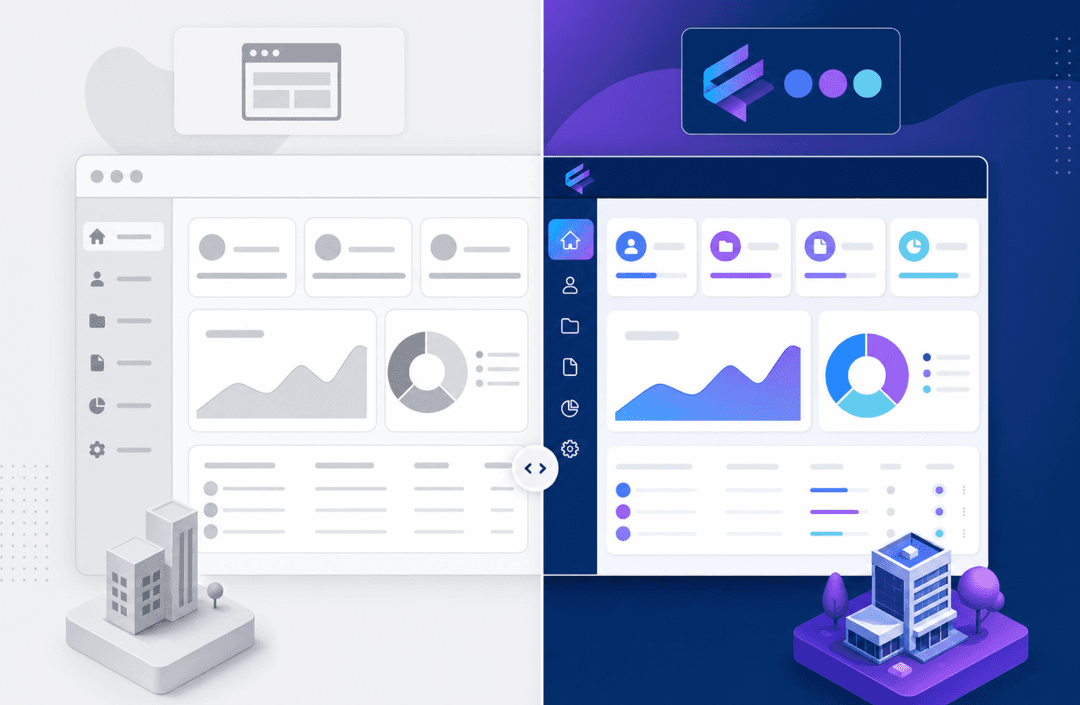
The visual editor gives you control over branding, layout, and user experience after the AI generates the foundation. Adjust colors to match your brand guidelines, rearrange components to showcase what matters most to each user type, and configure forms or workflows without writing a single line of code. The system handles hosting, security updates, and infrastructure scaling, so you focus on customization instead of server management.
Final Thoughts on Web Portal Solutions for Your Team
The gap between scattered tools and an organized customer portal software is bigger than most teams expect. You can keep managing file requests through email and answering the same status questions, or you can give everyone a single place to find what they need. Setup time is shorter when you choose a tool that sits on top of your existing data. Book a demo to see how AI-powered portal building works for your workflow.
FAQs
Can I build a web portal without hiring developers?
Yes. AI-powered tools like Stacker generate working portals from plain-English prompts, then let you refine them visually without writing code. Setup time can be reduced from months to days or hours in many use cases, and you avoid the cost of custom development.
What's the difference between client portal software and customer portal software?
Client portals serve small, known B2B audiences where relationships matter (agencies sharing deliverables, consultants tracking milestones). Customer portals handle self-service at scale for larger user bases (order tracking, support tickets, account management). Many businesses need both, which is why the best tools support multiple audiences with different permission levels within a single product.
How long does it take to implement a web portal for small business teams?
Simple portals built on existing tools go live in days. Custom-built solutions with complex integrations take four months or longer. The biggest time factors are requirements scoping, data integration setup, and permission configuration: all areas where no-code and AI builders cut timelines from months to hours.
Free client portal software vs paid: what do you actually lose?
Free tiers typically limit user seats, remove white-label customization, restrict integrations, and cap storage. For serious business use, the missing pieces that hurt most are role-based permissions (clients seeing data they shouldn't), brand alignment (portals that look generic instead of professional), and data source connections (forcing manual entry instead of syncing with your CRM or project tools).
What security features does customer portal software need for compliance?
Multi-factor authentication, role-based access control, data encryption at rest and in transit, and audit trails logging who accessed what and when. If you work in healthcare, you need HIPAA coverage. EU-based users trigger GDPR requirements. Enterprise clients increasingly expect SOC 2 compliance. Ask vendors which standards they meet in writing before you build anything customer-facing.