Manual supplier onboarding means your team emails vendors for W-9s, insurance certificates, and banking details, then waits days or weeks for replies that may or may not include the right documents. Once everything finally arrives, someone on your team re-keys the data into your ERP, hoping nothing was transcribed wrong. Supplier portal solutions replace that loop with a self-service system where suppliers log in, complete structured onboarding forms, upload compliance files, and submit invoices without your team acting as the go-between.
The market includes enterprise supplier onboarding software platforms like SAP Ariba supplier onboarding process tools, HICX supplier onboarding automation, Ivalua supplier portal login workflows, and Esker vendor portal integrations, as well as midsize supplier management solutions from companies offering supplier risk management solutions, supplier lifecycle management tracking, and supplier relationship management dashboards. You'll also find supplier onboarding software free options, best supplier onboarding software lists, supplier onboarding portal free trials, supplier onboarding software tutorial content, supplier onboarding software PDF guides, and integrations for Medius supplier portal login, Microsoft supplier web portal, or specialized setups like American Solutions for Business supplier portal, First Travel Solutions supplier portal, and A&P Solutions supplier portal environments.
This guide explains what makes a supplier management system actually useful, how supplier onboarding portal app features stack up across platforms like HICX solutions or Ivalua procurement tools, and when lighter alternatives built with AI-powered app builders make more sense than full enterprise deployments.
TLDR:
- Supplier portals replace email and spreadsheet vendor management with a secure web hub for documents, invoices, and status updates.
- Portals can shorten onboarding that once took weeks of email back-and-forth, since suppliers self-serve through guided workflows instead.
- Key features include ERP integration, role-based permissions, compliance tracking, and automated document expiry alerts.
- Without a portal, teams miss compliance gaps, duplicate supplier records, and lose audit trails across scattered email threads.
- AI-powered app builders let smaller procurement teams build custom portals without IT support or fixed vendor structures.
What Is a Supplier Portal?
A supplier portal is a secure, web-based hub for supplier information exchange, documents, and status updates in one shared space. Instead of managing vendor relationships through scattered email threads, spreadsheets, and phone calls, procurement and operations teams get a single location where suppliers can submit invoices, upload compliance certificates, respond to purchase orders, and track payment status on their own.
From the buyer's side, the portal gives visibility into every supplier interaction without requiring manual follow-up. From the supplier's side, it removes the guesswork of not knowing where a document went or whether an invoice was received.
Key Benefits of Supplier Portal Solutions for Procurement Teams
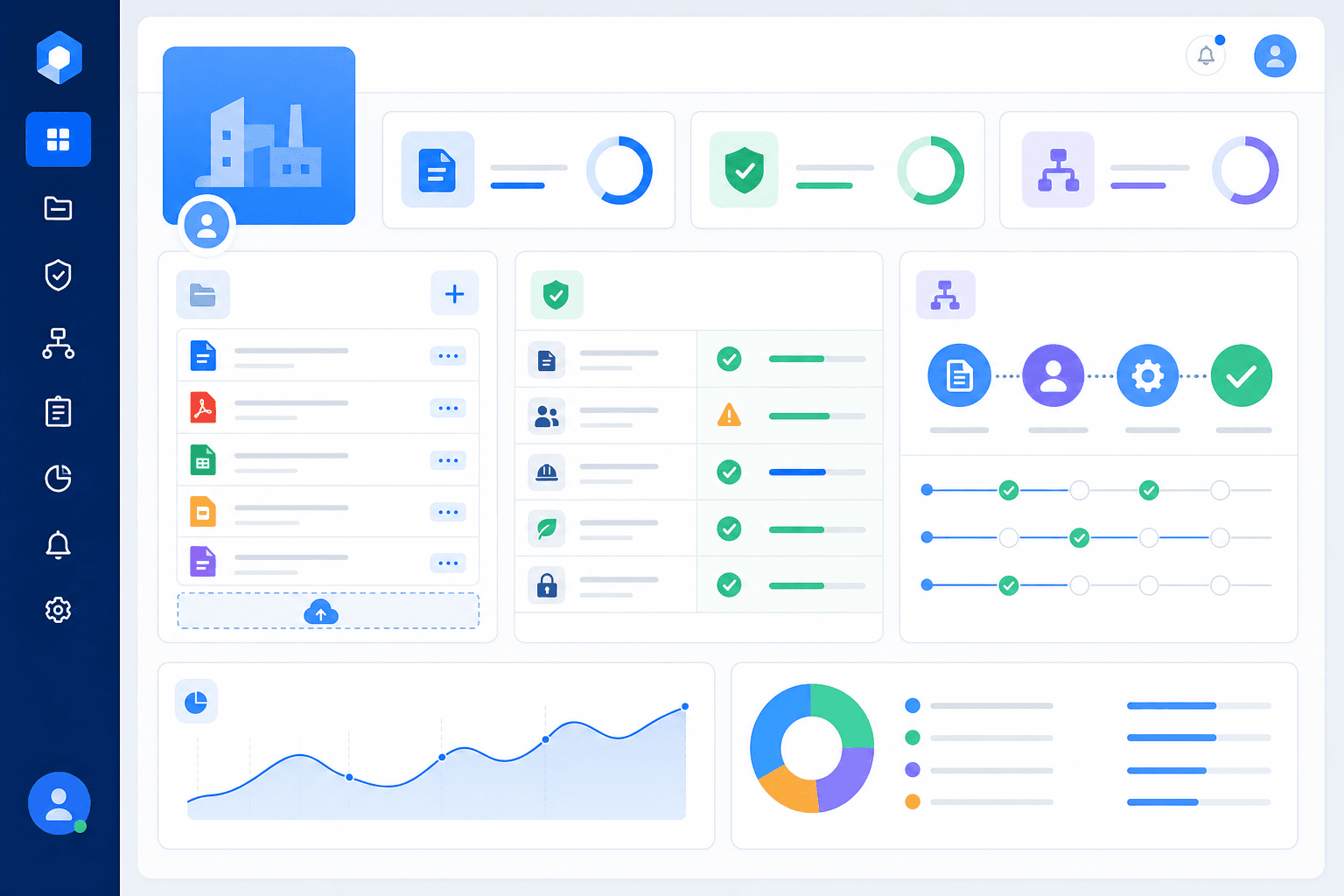
Supplier portal solutions cut down on the back-and-forth that bogs down procurement teams. Instead of chasing vendors across email threads and spreadsheets, your team works from a single source of truth where supplier data, documents, and status updates live together.
Here are the benefits procurement teams see most:
- Faster supplier onboarding by replacing manual data collection with guided self-service workflows that suppliers complete on their own time.
- Fewer compliance gaps because document requirements are tracked automatically instead of being managed through disconnected files.
- Better supplier visibility so your team can see where each vendor stands in the onboarding or review process without hunting through inboxes.
- Reduced risk exposure through centralized audit trails and version-controlled records that support regulatory and internal review processes.
Core Features and Capabilities to Look For
Not every portal does the same things equally well. Some handle document collection cleanly but leave invoice tracking as an afterthought. Knowing which features actually matter helps you avoid buying something that looks right in a demo but falls apart under real procurement volume.
| Feature | What to Look For |
|---|---|
| Onboarding automation | Guided workflows suppliers complete without hand-holding from your team |
| Document management | Centralized storage with version control and expiry tracking for certifications |
| Invoice processing | Automated matching and status updates visible to both sides |
| Payment tracking | Supplier-facing visibility into payment status and expected dates |
| Role-based permissions | Field and record-level controls so vendors only see what's relevant to them |
| Compliance tools | Automated reminders when certificates or approvals are due for renewal |
| Performance analytics | Scorecards showing delivery, quality, and responsiveness trends over time |
| ERP and accounting integrations | Two-way sync with systems like SAP, Oracle, or QuickBooks |
| Self-service supplier access | A login experience suppliers can use on their own without submitting a support request |
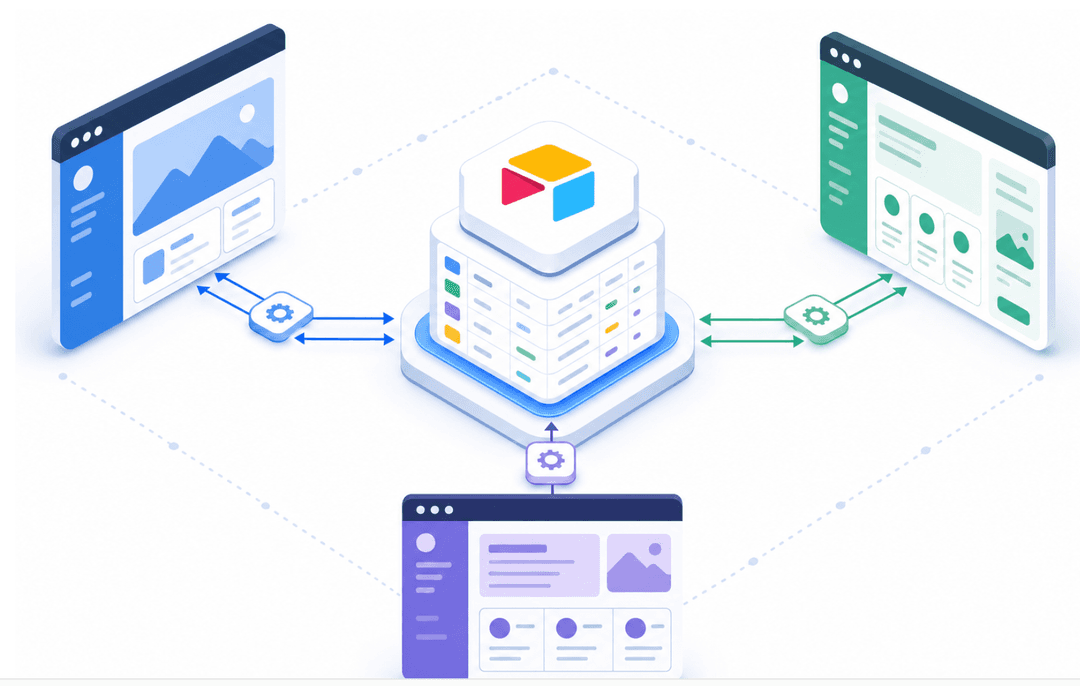
The integrations piece deserves extra scrutiny. A portal that doesn't connect to your ERP or accounting system becomes one more place your team has to update manually, which defeats the purpose of having one at all.
How Supplier Portals Speed Up Onboarding and Reduce Cycle Time
Onboarding a new supplier without a portal often means weeks of back-and-forth emails, duplicate data entry, and documents lost across inboxes. A supplier portal replaces that chaos with a single, structured workflow that both your team and your suppliers follow in sequence.
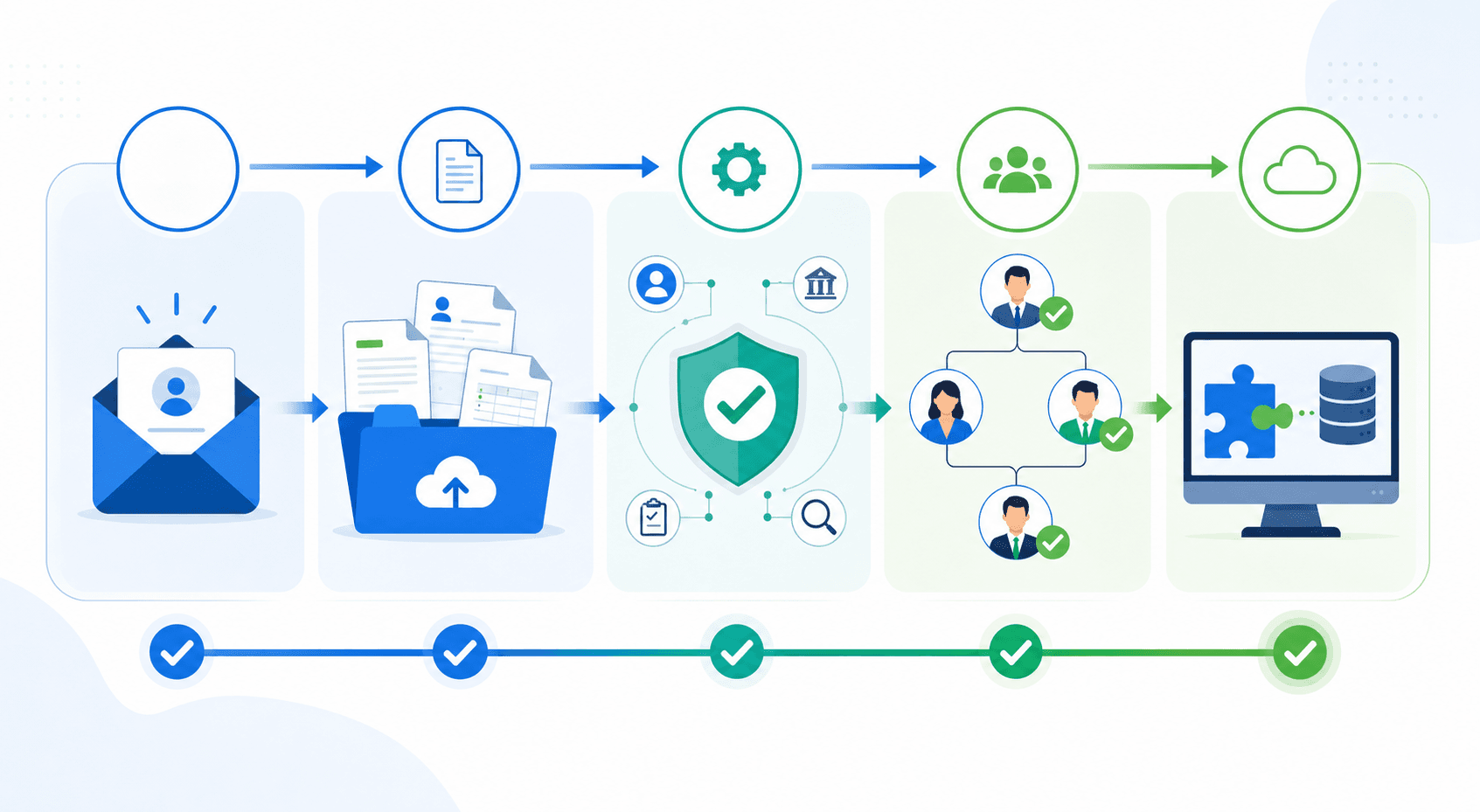
Here is how that typically plays out in practice:
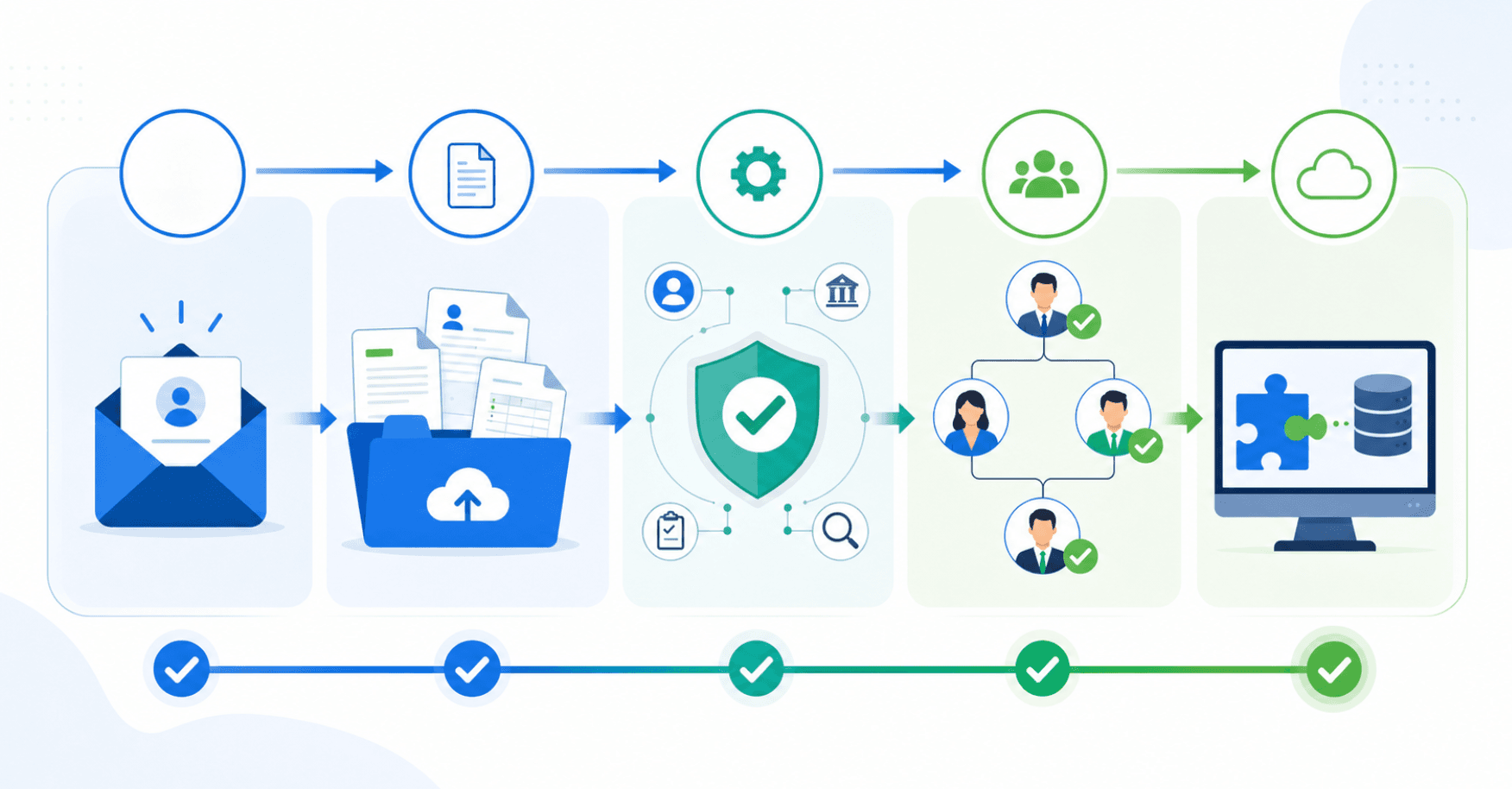
- Suppliers receive an invitation link and complete a self-service registration, uploading tax forms, insurance certificates, and banking details directly into structured fields instead of attaching files to an email thread.
- Each submission triggers automatic validation checks, flagging missing fields or expired certificates before a human reviewer ever opens the record.
- Approval workflows route completed profiles to the right stakeholders, such as legal, finance, or compliance, based on supplier category or spend tier, cutting out the manual handoffs that stall most onboarding queues.
- Once approved, supplier data flows into your ERP, removing the re-keying step that introduces errors and delays.
The cumulative effect is a meaningful drop in cycle time. Onboarding that once dragged on for weeks of email back-and-forth can move much faster when suppliers self-serve through a guided portal experience.
Supplier Portals vs Supplier Networks vs Vendor Management Systems
These three terms get used interchangeably, but they describe meaningfully different things. Understanding the distinction helps you choose the right tool for your actual problem.
A supplier portal is a dedicated web interface where your suppliers log in to complete tasks: submit invoices, update their contact details, upload compliance certificates, or check order status. Think of it as the transactional front door between your organization and your supply base.
A supplier network is a marketplace-style directory where buyers find and connect with pre-vetted suppliers. Ariba's supplier network is a well-known example.
A vendor management system (VMS) for contingent workforce, tracking contractor hours and project spend instead of goods-based supply chains.
Common Challenges Procurement Teams Face Without Supplier Portals
Without a supplier portal, procurement teams often end up managing vendors through a patchwork of emails, spreadsheets, and shared drives. That fragmentation creates real problems that compound over time.
Here are some of the most common pain points:
- Manual data collection drags onboarding out. When teams chase suppliers for tax forms, certifications, and banking details across email threads, a process that could take days stretches into weeks.
- Compliance gaps are easy to miss. Without a central system tracking certificate expiration dates or regulatory requirements, suppliers can slip through audits undetected.
- Duplicate or outdated supplier records build up fast. Without a single source of truth, the same vendor may exist in multiple systems under slightly different names, creating invoicing and payment errors.
- Risk visibility is limited. When teams rely on spreadsheets, they lack real-time visibility into changes in a supplier's financial health, insurance status, or geographic risk profile.
- Supplier communication lacks accountability. When approval requests or document reviews happen over email, there is no audit trail and no clear ownership of next steps.
Implementation Best Practices and Key Considerations
Getting implementation right matters more than choosing the right tool. A portal that launches without stakeholder buy-in or clear success metrics tends to stall before suppliers ever complete their first login.
A few practices that consistently separate clean rollouts from ones that drag (aligned with industry best practices for supplier automation):
- Set measurable objectives upfront. "Reduce onboarding time" is a direction; "cut new supplier time-to-active from 30 to 7 days" is a target you can actually hold yourself to.
- Align procurement, IT, legal, and finance before configuration begins. Requirements that surface late become expensive blockers.
- Map ERP and accounting integrations before the build, not after. Gaps found mid-rollout create rework that delays go-live.
- Define access controls from day one: which fields each supplier role can see, and who on your team can approve or edit records.
- Plan for supplier adoption actively. A short onboarding guide and a designated support contact reduces early drop-off.
- Track KPIs from launch: onboarding cycle time, document completion rate, and invoice processing speed.
Choosing the Right Supplier Portal Solution for Your Organization
The right solution depends less on feature checklists and more on where your organization actually sits today. A company onboarding 20 suppliers a year has different needs than one managing 2,000.
A few criteria worth working through before you commit:
- Supplier volume: some solutions are priced per supplier or per transaction, which can get expensive fast as your base grows.
- Integration complexity: confirm two-way sync with your existing ERP or accounting system before signing anything.
- Security and compliance requirements: industries with compliance obligations need audit trails, role-based access, and data residency controls that lighter tools skip.
- Total cost of ownership: factor in implementation, training, and ongoing support costs alongside the license fee.
- Vendor support: a portal your suppliers find confusing will see poor adoption regardless of how good the backend is.
The question to ask in any demo: what happens when a supplier gets stuck? If the answer requires your team to intervene every time, the self-service promise is already broken.
Scalability matters too. A solution that works at 50 suppliers should still work at 500 without a full re-implementation.
Building Supplier Portals with Stacker
Enterprise procurement suites like SAP Ariba or HICX are built for large organizations with dedicated IT teams and lengthy implementation timelines. For smaller procurement operations or teams with highly specific workflows, that overhead rarely fits.
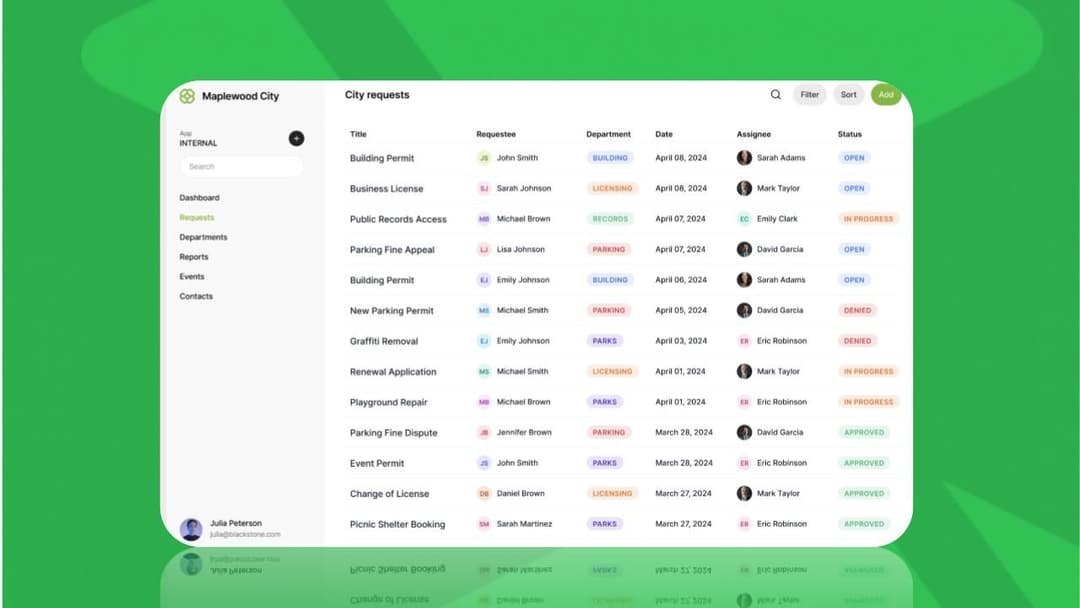
Stacker offers a different path. You describe portal requirements in plain language and get a working application with role-based permissions, document workflows, and supplier-facing logins, without writing code or filing an IT ticket. The portal is shaped around your actual process instead of being locked into a vendor's fixed structure.
For procurement teams managing niche supply chains or rapid vendor growth, Stacker closes the gap between needing a custom portal and having one.
Final Thoughts on Building Better Supplier Workflows
Supplier portals solve a specific problem: too many touchpoints, too little visibility, and onboarding cycles that stretch way longer than they should. When suppliers can log in and handle their own updates while your team watches progress from a single dashboard, the manual follow-up work disappears. If your current setup involves chasing vendors for documents or re-keying data between systems, book a demo to see how a portal built around your process changes that. Your workflow stays yours, suppliers get clarity, and compliance stops being a guessing game.
FAQ
What's the main difference between a supplier portal and a vendor management system?
A supplier portal is a web interface where suppliers complete tasks like submitting invoices, uploading compliance documents, and checking order status. A vendor management system (VMS) focuses on managing contingent workforce and services procurement, tracking contractor hours and project spend instead of goods-based supply chains.
Can I build a supplier portal without buying enterprise software like SAP Ariba?
Yes. AI-powered app builders like Stacker let you describe your supplier portal requirements in plain language and generate a working application with role-based permissions, document workflows, and supplier-facing logins. For smaller procurement teams or those with specific workflows, this approach delivers a custom portal without the implementation timelines and IT dependency of enterprise suites.
How long does supplier onboarding typically take with a portal?
Onboarding that once dragged on through rounds of email can move much faster with a supplier portal. Suppliers self-serve through guided workflows, submitting tax forms, insurance certificates, and banking details directly into structured fields, while automatic validation checks flag missing information before human review.
What should I look for in supplier portal software integrations?
Confirm two-way sync with your existing ERP or accounting system before signing anything. A portal that doesn't connect to systems like SAP, Oracle, or QuickBooks becomes one more place your team has to update manually, which defeats the purpose of having a single source of truth.
Supplier onboarding software free vs paid solutions: what's the tradeoff?
Free supplier onboarding software typically lacks the permission controls, data volume capacity, and external user access needed for business-critical operations. As your supplier base grows from dozens to hundreds, you'll need audit trails, role-based access, proper integrations, and scalability that free tiers skip.