![Project Tracking: A Practical Guide for Business Teams [April 2026]](/_next/image?url=https%3A%2F%2Fcdn.sanity.io%2Fimages%2Fv6jlennt%2Fproduction%2F84dca7151ded9240cb23a120a1bbc52c63472249-1600x896.png&w=3840&q=75)

Most project tracking fails the same way: you set it up with good intentions, your team updates it for a few weeks, then it quietly becomes stale while everyone goes back to asking for updates in Slack. The problem with standard tracking of projects tools is they're either too rigid to match your actual workflow or so flexible they require constant maintenance nobody has time for. Spreadsheets give you control but break down in collaborative environments. Pre-built software assumes your process looks like everyone else's. What you actually need is something in between: structured enough that your team knows exactly where to log updates, but adaptable enough to handle the way your projects really run, complete with custom stages, role-based views, and clients who need access without seeing everything.
TLDR:
- Project tracking monitors tasks, timelines, and resources against your plan to catch issues early.
- 80% of project failures stem from poor communication, not technical problems or budget shortfalls.
- Spreadsheets contain errors in 94% of cases and consume up to 50% of working time.
- Track schedule variance, budget actuals, resource utilization, and blocked task count to spot trouble.
- Stacker lets you build custom project trackers with role-based permissions and real-time updates without code.
What Is Project Tracking and Why Does It Matter
Project tracking is the ongoing practice of monitoring tasks, timelines, resources, and deliverables against the plans your team originally set. Most teams skip it until something goes wrong.
That's a costly habit. Research shows 80% of project failures trace back to poor communication and collaboration, not technical problems or budget shortfalls. Tracking fixes this by creating a shared source of truth everyone can reference.
When done well, project tracking lets you catch slipping deadlines early, spot resource bottlenecks, and hold people accountable without micromanaging.
The Real Cost of Poor Project Tracking
For every $1 billion invested in the United States, approximately $122 million is wasted. That's a structural problem, not an anomaly.
Budget overruns, missed deadlines, and duplicated work all trace back to the same root cause: nobody had a clear picture of what was actually happening. Teams burn out chasing status updates. Managers make decisions on stale information. And by the time warning signs surface, the damage is already done.
Good tracking buys back time, confidence, and control.
Key Components Every Project Tracker Should Have
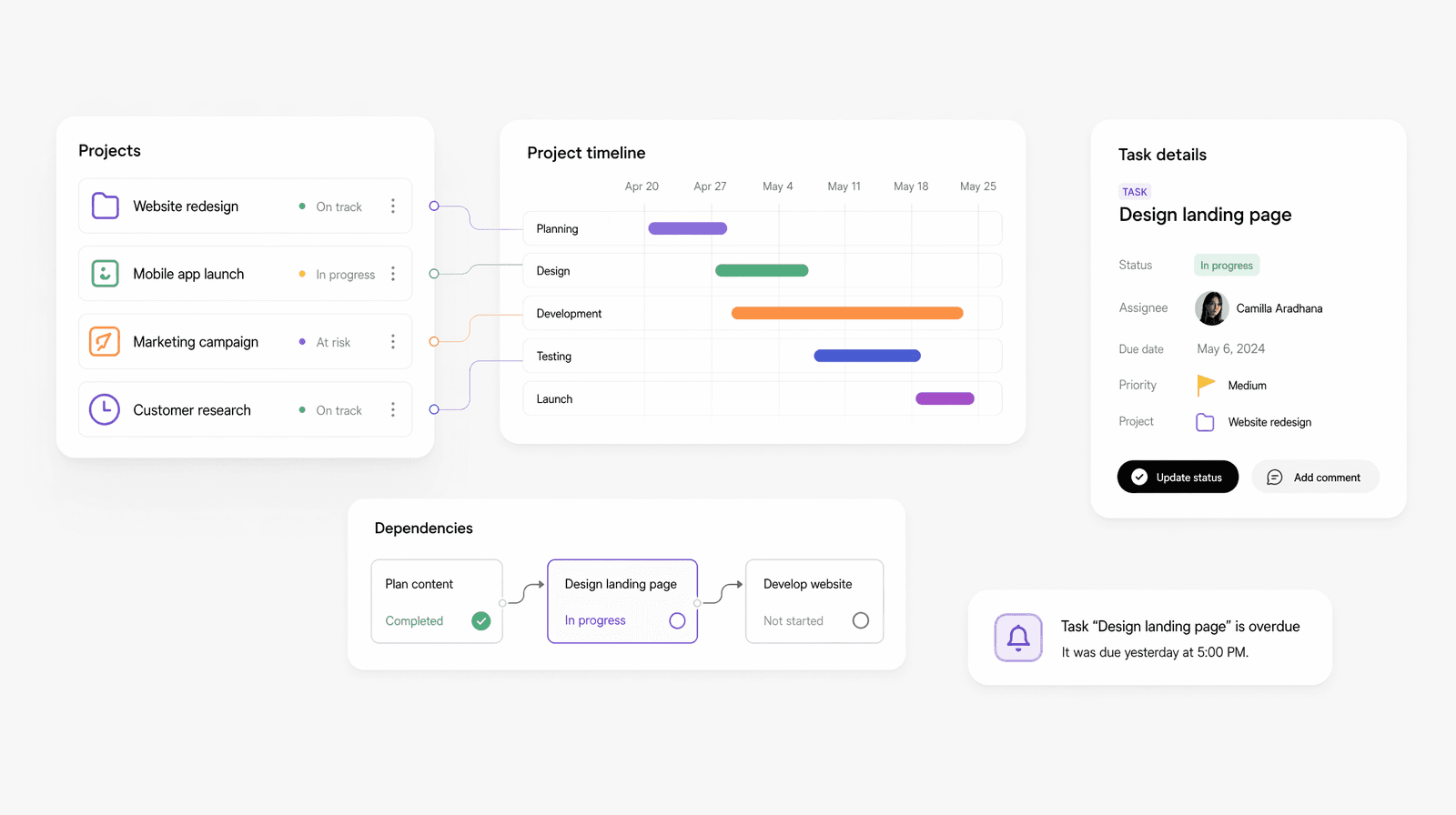
A tracker is only as useful as what it actually captures. Before choosing your tracking approach, it helps to know which components set a working system apart from a glorified to-do list.
The basics every tracker needs:
- Task list with clear ownership so everyone knows who is responsible for what
- Due dates and start dates for each task
- Current status (not started, in progress, blocked, complete)
- Priority level so teams know what to focus on first
- A way to leave notes or flag blockers
Once those fundamentals are in place, you can layer in more advanced components that give your tracker real depth.
Timeline and Dependencies
Seeing tasks in isolation misses their connections. A timeline view shows which tasks overlap and which ones are gating others. Dependencies let you flag that Task B cannot start until Task A is complete, so delays become visible instead of remaining silent.
Milestones
Milestones mark large checkpoints in a project, such as client sign-off or a product launch. They give teams a shared sense of progress and tell stakeholders when something worth noting has been delivered.
Resource Allocation
Knowing who is doing what is step one. Knowing whether they have the capacity to actually do it is step two. A tracker without resource visibility means you are assigning work into a black hole.
Risk Indicators
Every project has weak points. A simple red/yellow/green health flag on each task or workstream lets anyone scanning the tracker spot trouble fast, without reading every line.
The Spreadsheet Trap: Why Excel Falls Short for Project Tracking
Spreadsheets are where project tracking goes to start, and often where it goes to die. Research shows 81% of companies rely on spreadsheets for project work, 94% of those spreadsheets contain errors, and they consume up to 50% of working time. That's a serious investment in a tool that was never designed for this job.
The problems compound quickly:
- No real-time collaboration means multiple versions of the same file floating around, leaving teams unsure which one is current.
- No automation means someone manually updating statuses and chasing inputs every week.
- No cross-project visibility means leadership is perpetually asking for a status report that nobody has time to build.
- No permission controls means anyone can overwrite anything, often without realizing it.
If your team is in spreadsheets today, you are not alone. The goal is simply knowing when you have outgrown them.
Project Tracking Methods: Finding Your Team's Fit
No single method works for every team. The right fit depends on project complexity, team size, and how your work actually flows day to day.
- Simple task lists work well for small, linear projects where one person owns most of the work.
- Kanban boards suit teams with ongoing work queues, where tasks move through stages such as "To Do," "In Progress," and "Done."
- Gantt charts are better for complex projects with dependencies, fixed deadlines, and multiple workstreams running in parallel.
- Dashboards pull everything together for leadership visibility across multiple projects at once.
Start with what your team will actually use. A Gantt chart nobody updates is worse than a basic checklist everyone checks daily.
| Tracking Method | Best For | Team Size | Complexity Level | Key Advantages |
|---|---|---|---|---|
| Simple Task Lists | Small, linear projects with clear sequential steps and minimal dependencies | 1-3 people | Low complexity, single workstream | Easy to set up and maintain, minimal training required, works well for individual contributors or very small teams |
| Kanban Boards | Ongoing work queues with repetitive workflows and continuous task flow | 3-15 people | Low to medium complexity, multiple parallel tasks | Visual progress tracking, easy to spot bottlenecks, flexible stage customization, natural fit for agile workflows |
| Gantt Charts | Complex projects with fixed deadlines, multiple dependencies, and parallel workstreams | 5-50+ people | High complexity, interdependent tasks | Clear dependency mapping, timeline visualization, resource allocation view, and critical path identification |
| Dashboards | Portfolio management across multiple projects requiring executive visibility | 10-100+ people | High complexity, multiple concurrent projects | Cross-project visibility, real-time metrics, role-based views, quick health assessment across the entire portfolio |
Building Visibility Into Your Project Tracking System
Visibility sounds simple until you try to build it. Most teams err in one of two directions: either nobody can see anything, or everyone can see everything, which creates its own noise problem.
The fix is designing views for different audiences. Executives need a high-level health summary. Project leads need task-level detail. Individual contributors need to see their own assignments without wading through everyone else's work. Role-based views solve this by surfacing the right information to the right person at the right time.
A few principles that make tracking systems actually get used:
- Keep status updates tied to the work itself, not a separate reporting process
- Set a consistent cadence for status reviews, so updates become habit
- Use color-coded health indicators so anyone can read the board in seconds
- Limit dashboard widgets to what drives decisions, not everything you can measure
The best dashboards answer one question immediately: does anything need my attention right now?
Communication cadence matters as much as the tracker itself. A weekly standup referencing your live tracker keeps the system honest. Without a rhythm, trackers drift stale fast, and teams stop trusting them.
Key Metrics to Track Project Health
Not every metric deserves your attention. Focus on the ones that actually tell you something actionable:
- Schedule variance: are tasks finishing on time or quietly slipping behind?
- Budget tracking: actual spend versus what was planned at each phase
- Resource utilization: is anyone overloaded while others sit idle?
- Milestone completion rate: are the key checkpoints being hit on schedule?
- Blocked task count: how many items are stalled, and what's causing the bottleneck?
Qualitative signals matter too. Team morale, stakeholder confidence, and how often people are asking for status updates all indicate whether a project is healthy or quietly struggling.
Setting Up Your Project Tracking Workflow
The simplest workflow you'll actually maintain beats the perfect system you abandon in week two. Start lean: define what you're tracking, who owns each update, and how often the data gets refreshed.
A basic setup follows four steps:
- Define your project's scope and break it into trackable tasks with owners
- Choose your update frequency (daily for fast-moving work, weekly for longer cycles)
- Set a single source of truth everyone writes to, not a mix of emails and spreadsheets
- Schedule a standing review so stale data gets caught quickly
Ownership is where most workflows break down. If no one is responsible for maintaining the tracker, everyone assumes someone else is. Assign one person as the tracker owner per project, not to do all updates, but to keep the system honest.
Resist the urge to track everything. Every field you add is a field someone has to update. Keep your tracker scoped to what drives decisions, and cut the rest.
Tracking Multiple Projects Without Losing Your Mind
Most teams are not running one project. According to Gemboards, 59% of project managers handle multiple projects, and 15% manage over 10 at once. Single-project tracking is hard enough. Portfolio tracking is a problem entirely different from this one.
The failure mode is familiar: each project has its own spreadsheet, its own status meeting, its own version of the truth. Nobody has a clean view across all of them, so resource conflicts go unnoticed until someone is already overwhelmed.
A few habits that help:
- Use a master portfolio view that shows status, owner, and health across every active project in one place
- Track resources across the portfolio level and within each project, so you can see who is stretched
- Agree on a priority ranking for projects, so teams know what to protect when capacity gets tight
- Standardize status labels across projects so comparisons are actually meaningful
The goal is not to merge all your projects into one tracker. It's to create enough shared structure that switching between them doesn't require a full context reload every time.
Common Project Tracking Mistakes and How to Avoid Them
Good teams fall into these traps constantly. Recognizing them is half the fix.
- Tracking for tracking's sake: adding fields nobody reads and metrics that never drive a decision. Audit your tracker quarterly and cut anything that hasn't changed a course of action.
- Ignoring stakeholder buy-in: if the people doing the work didn't help design the system, they won't maintain it. Involve your team when setting up the structure.
- Unrealistic update cadences: daily updates on a six-month project create friction fast. Match your rhythm to the work's pace.
- Collecting data without acting on it: a tracker full of red flags that nobody responds to destroys trust in the system entirely. If your reviews aren't producing decisions, something is broken upstream.
- Poor tool configuration: permissions too open, views too cluttered, no clear entry point for new users. A messy setup discourages use even when the underlying process is sound.
The common thread is neglect. Trackers need maintenance, ownership, and a team that believes the system works for them, not the other way around.
Choosing the Right Project Tracking Solution for Your Business
The right solution depends less on what's popular and more on what your team will actually use consistently. A few questions cut through the noise fast.
What's your team size and project complexity? A freelancer tracking personal work needs something different from a 50-person ops team running parallel workstreams. Bigger teams need role-based access, shared views, and audit trails.
Key criteria to consider:
- Integration with tools you already use (Slack, Google Sheets, your CRM)
- Ease of onboarding for non-technical users
- Flexibility to match your actual workflow, not a generic one
- Cost relative to the number of users and projects you're running
The upgrade signal is usually obvious in hindsight: manual workarounds multiplying, version control breaking down, or leadership asking for reports that your current tool can't produce. When any of those show up regularly, you've outgrown your setup.
On the build-versus-buy question: off-the-shelf tools work well when your process is standard. When your workflow has specific stages, custom data fields, or external users who need access, a configurable solution tends to hold up better in the long term than forcing a rigid tool to fit.
Moving Beyond Tracking to True Project Control with Stacker
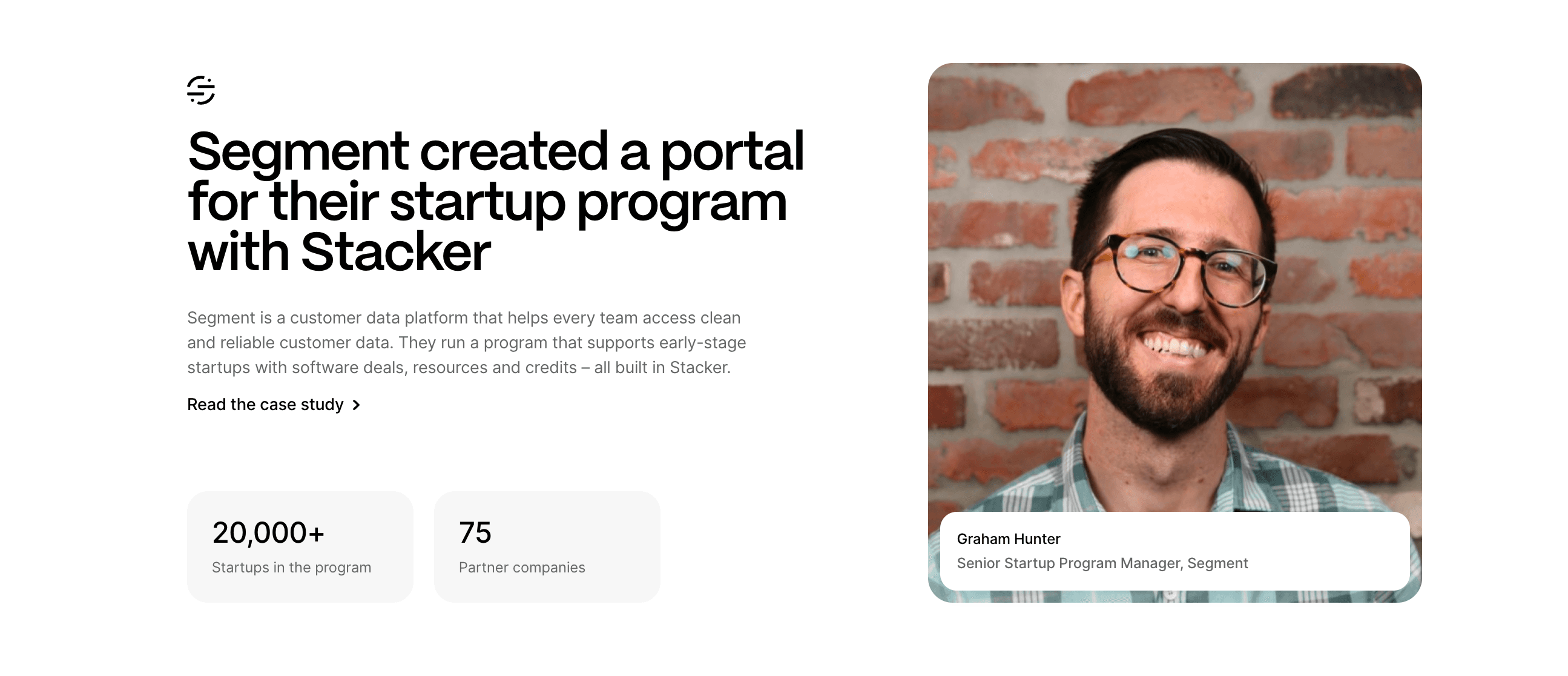
Most teams hit a wall where their tracker is too rigid to fit their process or too loose to enforce any structure. Off-the-shelf tools assume your workflow looks like everyone else's. Spreadsheets give you flexibility but fall apart under real use.
That's the gap Stacker fills. Built for teams who need something more structured than a spreadsheet but more flexible than fixed software, Stacker lets you model your actual project stages, define custom fields, set role-based permissions for clients, and get real-time updates without chasing anyone down.
No developers required. No waiting on IT. Start with a template or describe what you need, and Stacker's AI builder will generate a working app in minutes; then adjust it to fit exactly how your team operates.
Final Thoughts on Choosing Your Project Tracking Approach
You don't need perfect tracking from day one. You need a system that grows with your team and stays up to date without constant manual work. Start with the basics, add structure when spreadsheets break down, and make sure your project tracker dashboard actually gets used by the people doing the work. If you're managing multiple projects and need something more flexible than fixed software, book a demo to see what Stacker can do for your workflow.
FAQs
How often should you update your project tracker?
Match your update frequency to the pace of your work: daily for fast-moving projects, weekly for longer cycles. The key is consistency: a tracker updated haphazardly loses trust fast, while one maintained on a predictable rhythm becomes a reliable source of truth your team actually uses.
What's the difference between a Kanban board and a Gantt chart for tracking projects?
Kanban boards work best for ongoing work queues where tasks move through stages like "To Do" and "In Progress," making them ideal for repetitive workflows. Gantt charts are better suited for complex projects with dependencies and fixed deadlines, showing how multiple workstreams run in parallel and which tasks gate others.
When should you move beyond spreadsheets for project tracking?
You've outgrown spreadsheets when manual workarounds multiply, version control breaks down, or leadership keeps asking for reports your current setup can't produce. If you're spending hours chasing status updates, dealing with conflicting file versions, or can't give external stakeholders secure access, it's time to upgrade.
Can you track multiple projects in a single system without causing confusion?
Yes, with the right structure. Use a master portfolio view showing status and health across all active projects, track resources at the portfolio level to spot conflicts, and standardize status labels so comparisons are meaningful. The goal is shared structure across projects, not merging everything into one unwieldy tracker.
What metrics actually matter for tracking project health?
Focus on schedule variance (are tasks finishing on time?), budget tracking (actual versus planned spend), resource utilization (is anyone overloaded?), milestone completion rate, and blocked task count. Skip vanity metrics that don't drive decisions. The best trackers answer one question immediately: does anything need attention right now?