
Core Concepts
Understanding how workspaces, apps, agents, portals, and data fit together will help you build faster — especially when you're working through AI chat threads.
At a glance: A workspace is your team's home in Stacker. Inside it you create apps — each app holds shared data, customer-facing portals, and AI agents that do work on your behalf. Your team configures everything in the admin interface, optionally syncs data connectors, governs access with user permissions, and automates behavior with workflows. Most building happens in threads — conversations with the AI chatbot in the sidebar. Admin, data, portals, and agents all read and write the same underlying tables and records, with different interfaces and permission rules — not separate databases per area.
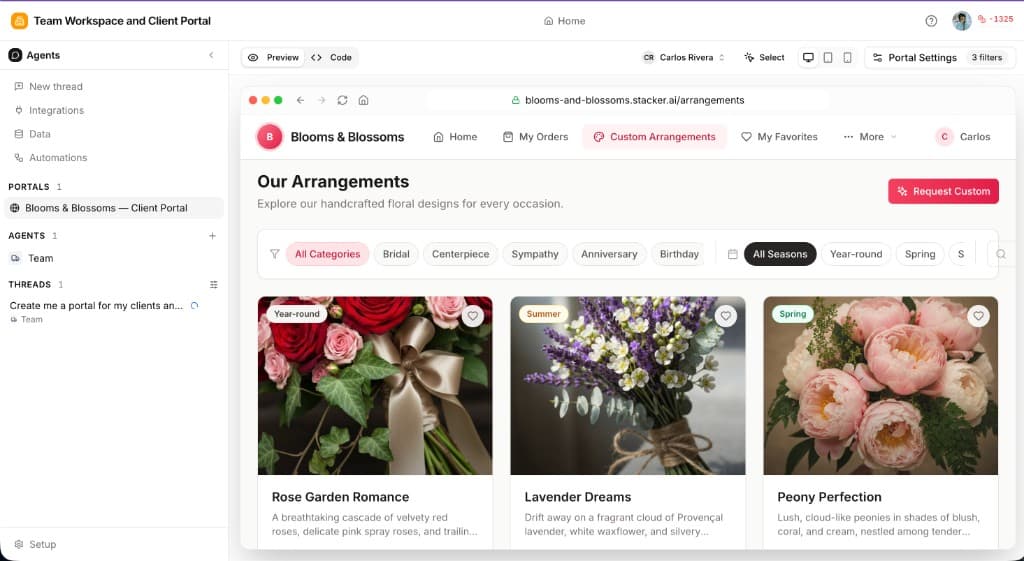
Workspace
Your team's workspace in Stacker — members, billing, workspace-level integrations, and the apps you build together.
AI Agents
Configurable coworkers inside an app — each with instructions, tools, channels, and schedules. They handle conversations and take action on your data.
Internal Workspace
The hub inside an app — agents, threads, data, and layouts your team uses to run operations. Customizable like portals, without external permissions or branding.
Portals
Branded experiences for customers, partners, and vendors: the pages, forms, and views where external users see permitted data and take allowed actions.
Data Tables
Structured storage under Setup → Data — fields as columns, records as rows — with relations between tables so you can model real-world links.
Data connectors
Integrations that bring data in from or sync with external systems and sources, keeping your tables aligned with tools you already use.
User access
Who can sign in, what they see, and what they can change — rules for workspace members and portal users, including which records each portal user can access.
Automations
Custom code that runs on record changes, button clicks, and agent calls. Create them in the Automations UI or describe what you want in a thread.
Building with threads
Much of the product is built through threads — conversations with the AI chatbot where you describe what you want in plain language and iterate until it's right. The same pattern applies whether you're shaping a portal, configuring an agent, authoring an automation, or updating your schema.
Where to start a thread
Portal builder thread
Agent thread
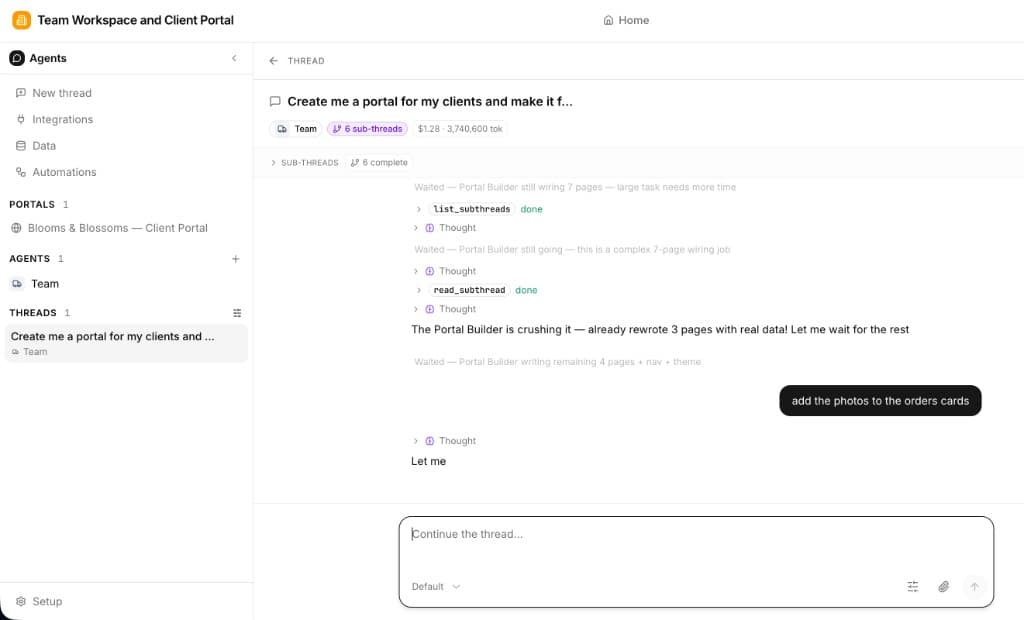
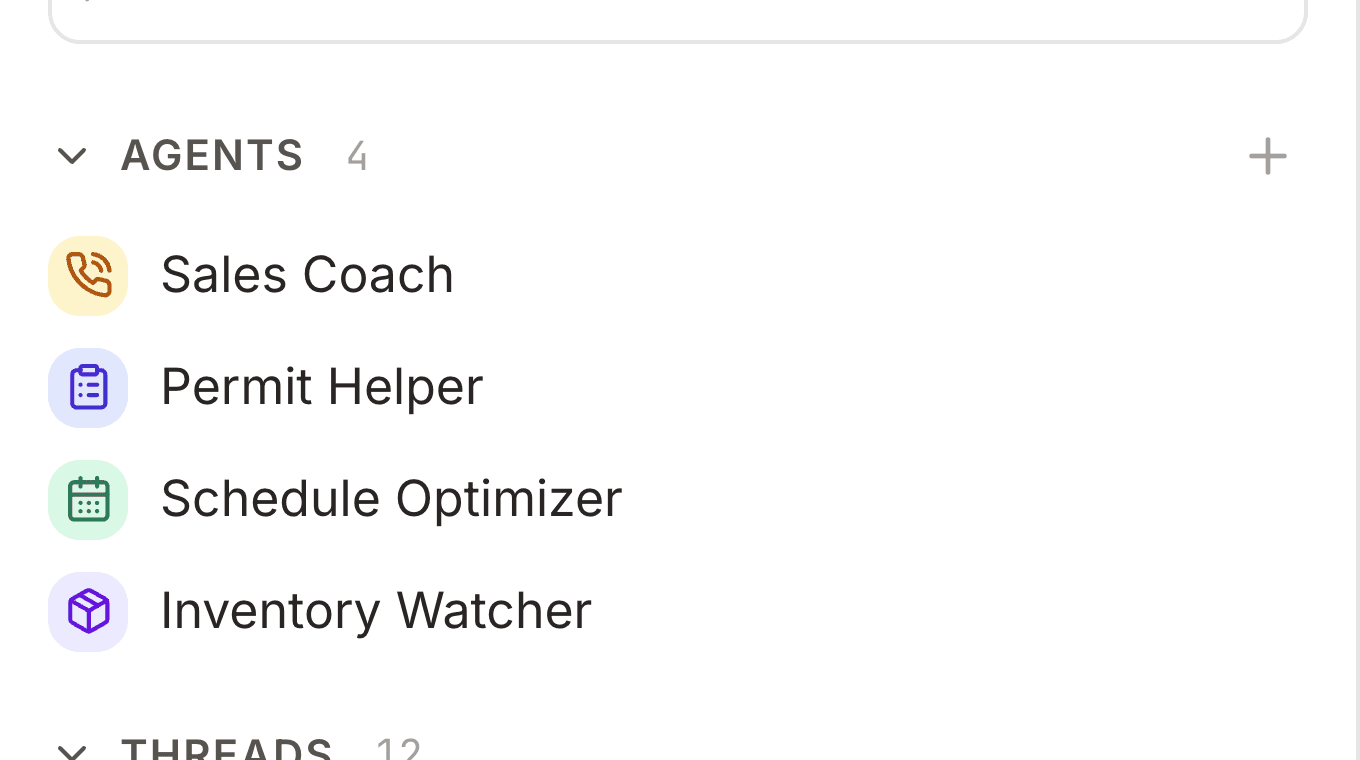
You don't need special syntax — name the outcome and any constraints. Portals, agents, and automations you create in a thread still show up in their usual places in the app so you can fine-tune them by hand afterward.
AI agents
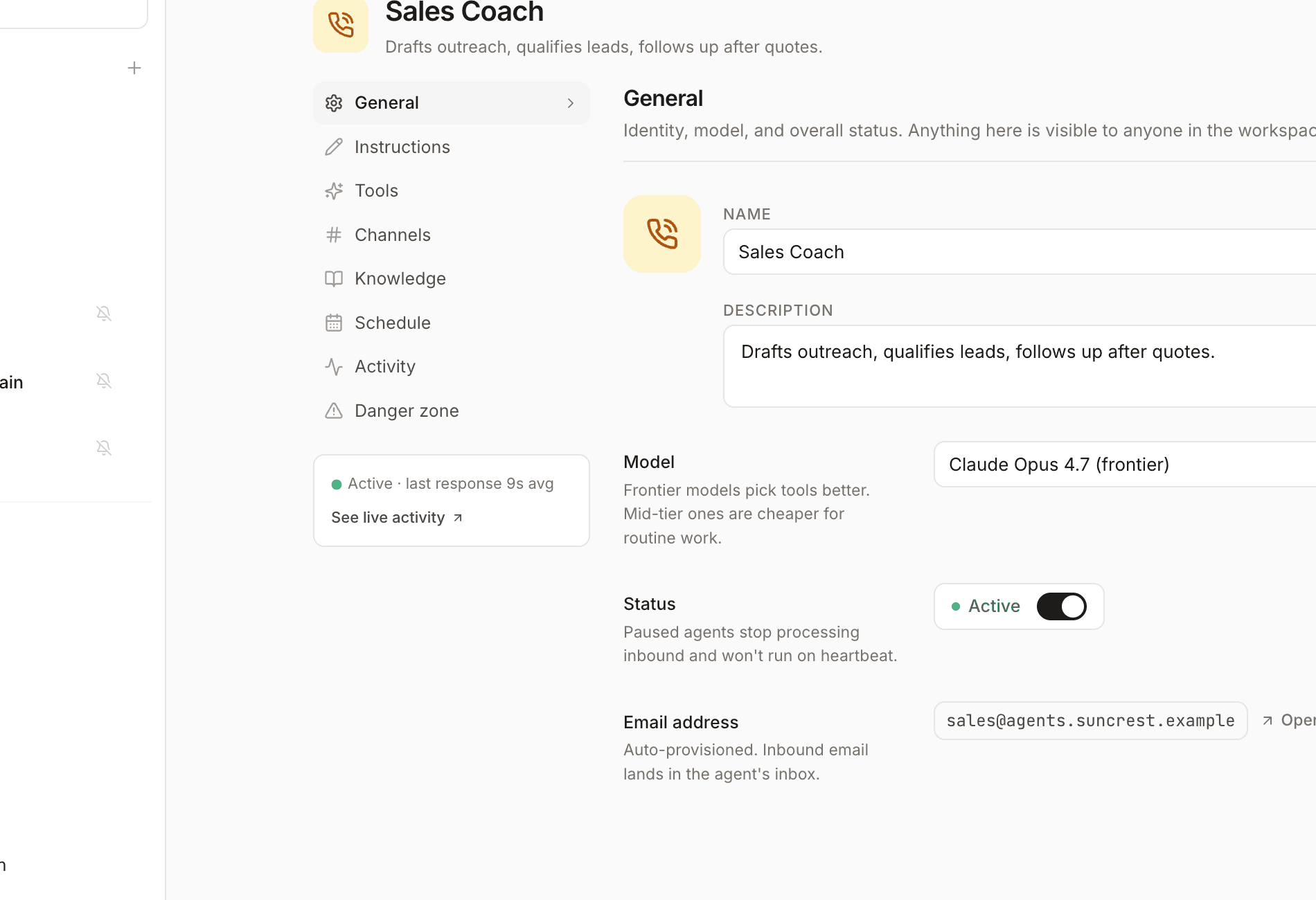
Worker agents live inside each app alongside your portals and data. You define what each one handles — instructions, which tools it can use, which channels it listens on (in-app chat, Slack, email, and more), and optional schedules. Agents are meant to do work, not just answer questions: update records, send follow-ups, run automations, and report back in the thread.
Configure agents through conversation or in the agent settings panel — identity, model, tools, knowledge, and channels all live in one place.
Tables
Tables are the foundation of every app. Think of them like spreadsheets or database tables — they store structured data with rows and columns. Portals display that data; agents read and update it; automations react to changes.
Each app can have multiple tables. For example, a client workspace might include:
- Clients — Company name, contact info, account status
- Projects — Project name, status, due date, assigned client
- Invoices — Amount, status, date, related project
- Support tickets — Subject, status, assigned agent, related client
Describe your app in a thread and the AI will suggest and create tables — or add, modify, and remove them later under Setup → Data.
Fields & relations
Each column uses a field type (text, dates, files, relations, formulas, and more).
Relation fields link records across tables; Stacker adds the matching inverse link so you can navigate both ways (for example projects ↔ clients).
See the Field types doc for a full list and short descriptions, including computed fields (formula, rollup, and lookup).
Workspace members vs portal users
Stacker distinguishes between two types of users:
Workspace members
Your internal team — the people who build and manage apps in the workspace. They have access to:
- • Setup → Data, the portal builder, and the Agents pane (including builder and agent threads)
- • All data across all tables in apps they can open
- • Workflow, automation, and agent configuration
- • User and permission management
Portal users
External users (clients, partners, vendors) who access a published portal. They see:
- • Only the portal interface you've designed
- • Agent experiences you expose in the portal, when configured
- • Only data they're permitted to see
- • Only actions they're allowed to perform