
Internal Workspace
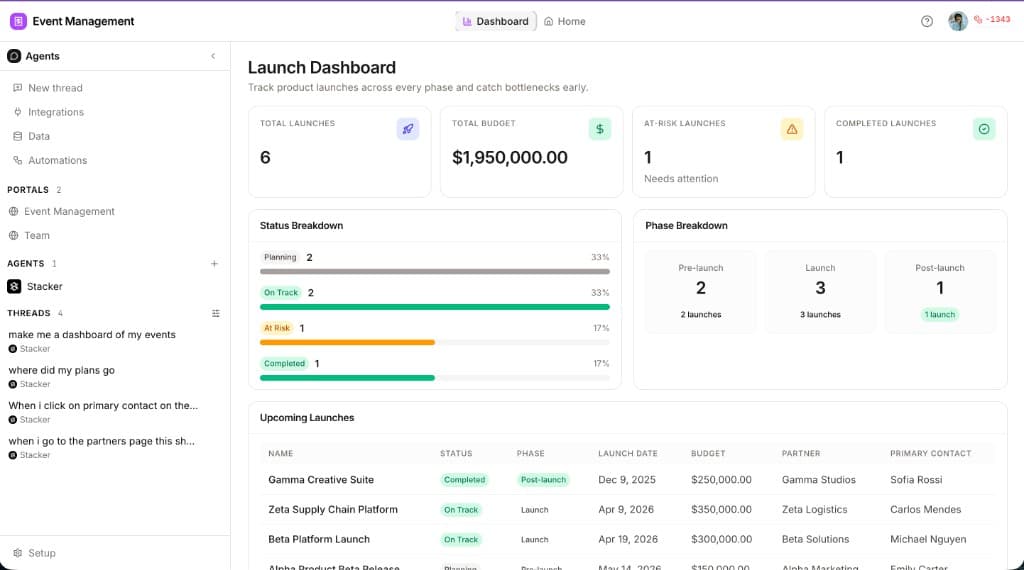
The internal workspace is where your team does the work — agents, threads, data, and customizable layouts in one hub. It shares the same tables and records as your portals, but it is built for workspace members, not branded external experiences.
At a glance: Open an app and you land in the internal workspace — the center of gravity for AI agents, threads, and your app's data. Agents can design and refine internal layouts here the same way they build portal pages: describe what you need in a thread and iterate in preview. Unlike portals, there is no separate sign-in flow, row-level permission model, or customer-facing brand shell — everyone on your team sees the same operational views.
What is the internal workspace?
Think of the internal workspace as your team's command center inside an app. It is where you configure agents, pick up threads, inspect and edit records, and navigate the layouts your agents build for day-to-day operations.
Portals face outward — customers, partners, and vendors each get a controlled, branded experience with their own permissions. The internal workspace faces inward — one shared surface for the people building and running the app.
Internal workspace vs portal
Who it is for
Branding & experience
Permissions
How layouts are built
What lives in the hub
Agents
Configurable coworkers with instructions, tools, and channels. Open an agent to tune behavior or start work on its behalf.
Threads
Conversations with the AI builder and your worker agents — where most layout changes, data tasks, and operational requests start.
Data
The same tables and records that power your portals — editable from Setup, surfaced in internal views, and available to agents as tools.
Internal layouts
Custom pages and navigation your agents build for the workspace — dashboards, record views, and operational tools tailored to how your team works.
Building internal layouts with agents
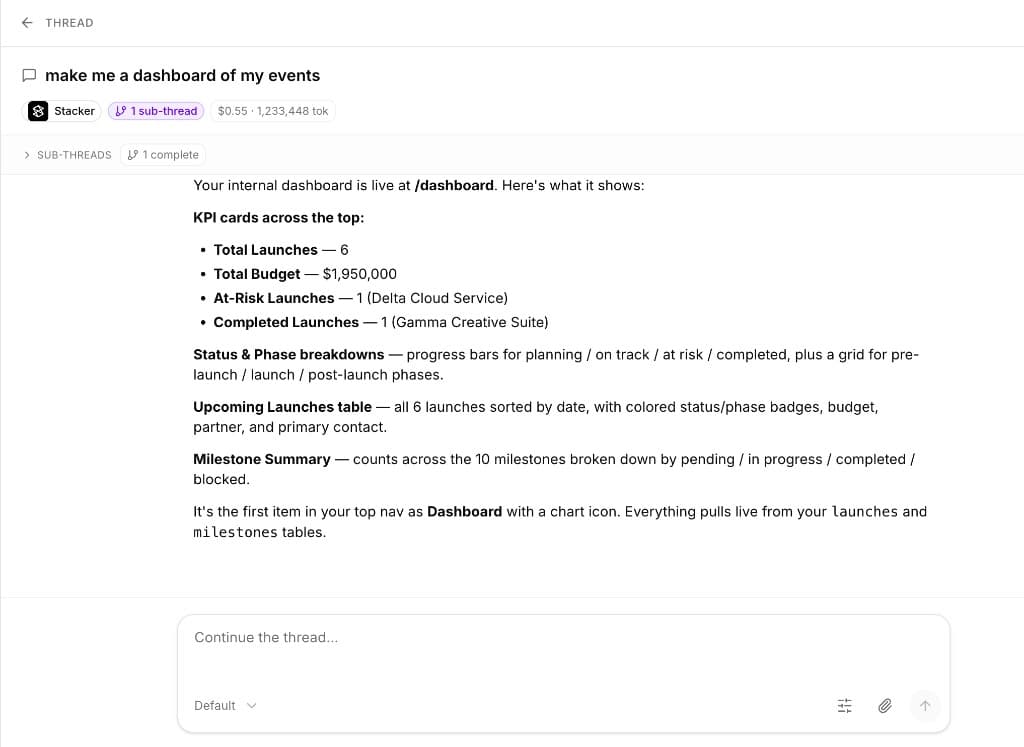
Internal layouts work like portal pages: describe the screen you want in a thread, and the agent drafts components, wiring, and navigation. Ask for an events dashboard, a pipeline view, or a detail screen for a record type — then refine in follow-up messages.
Because internal layouts sit on the same data model, an agent can connect charts, lists, and forms to live records without a separate integration step. Your team sees updates in the workspace preview as the agent edits files.
Common use cases
Operations dashboards
Roll-up views across deals, tickets, or projects — built for the people running the process day to day.
Internal CRMs & trackers
Replace spreadsheet handoffs with layouts your team actually opens inside Stacker.
Agent-assisted workflows
Pair a custom internal view with a worker agent that triages, updates records, or nudges owners on a schedule.
Setup alongside portals
Run customer-facing portals for external users and a rich internal workspace for your team on the same data.